
Never forget to hit record.
RecordCue watches for the moment a call starts on your Mac and puts a cue on screen. One press and it is recording — your voice and theirs, in one file.
- Zoom
- Google Meet
- Microsoft Teams
- Slack
- Discord
- Webex
- FaceTime
- Telegram
- Signal
- LINE
- Lark
- and 21 more
Free to download. macOS 13 or later, Apple silicon.
It notices. You press once.
RecordCue watches which application has opened the microphone. When it is one it knows, the cue appears — with the name of the call on it, so there is no question what you are about to record.
It never starts on its own. Every recording begins with a press, and the cue goes away if you ignore it.
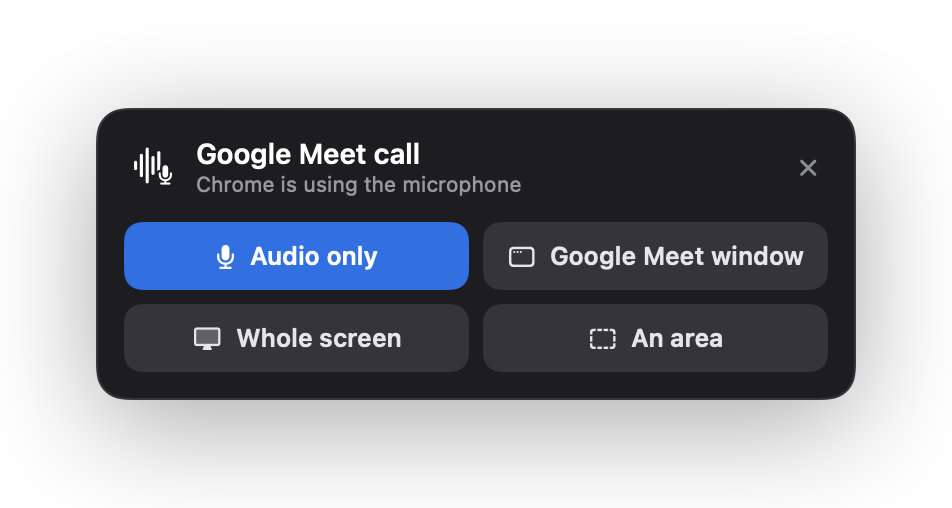
Both sides of the call, in one file.
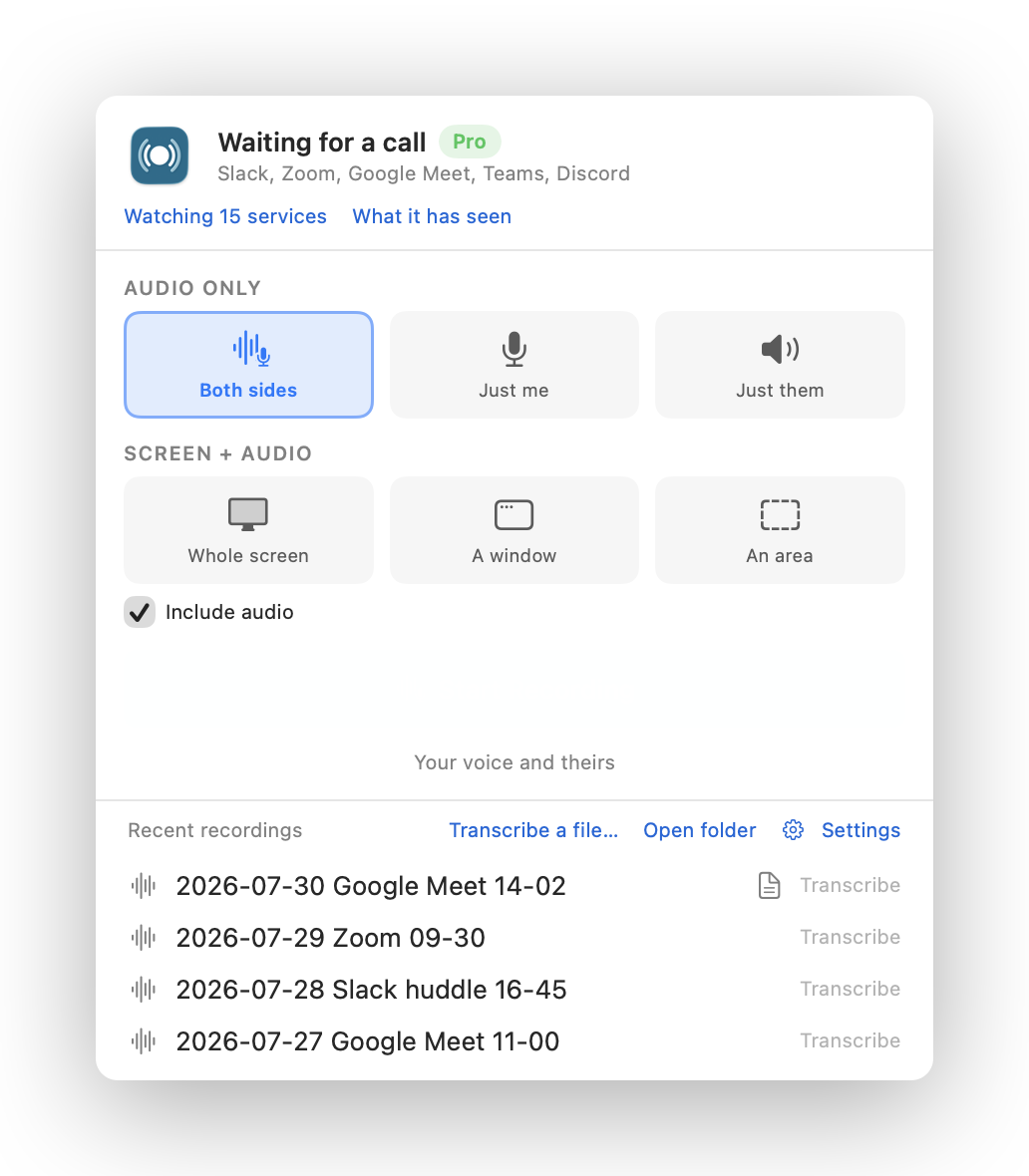
Your microphone and whatever your Mac is playing, mixed as it records. Headphones change nothing — the other side is taken from the audio itself, not from a speaker.
Or record the screen with it: the whole display, one window, or an area you drag. Every mode is in the free version.
It writes down who said what.
Turn on automatic transcription, or transcribe any finished recording later. RecordCue uses the speech recognition built into macOS and marks each passage with which side was speaking. The transcript is a plain text file saved next to the recording. Nothing is uploaded.
2026-07-30 Google Meet 14-02
Rough transcript · macOS on-device speech recognition (en-US) · nothing left this Mac
Mic = your microphone · System = what your Mac played · Both = neither was clearly louder[0:00] System: Right, everyone's here. Shall we start with the pricing?
[0:06] Mic: Yes. I moved it to a one-time purchase over the weekend.
[0:13] System: One-time. So there's no renewal to chase at all.
[0:19] Mic: None. The first fourteen days are unlimited.
[0:27] Both: Sorry, go ahead — no, you first.
[0:31] System: Agreed. Can you send me the numbers after this?
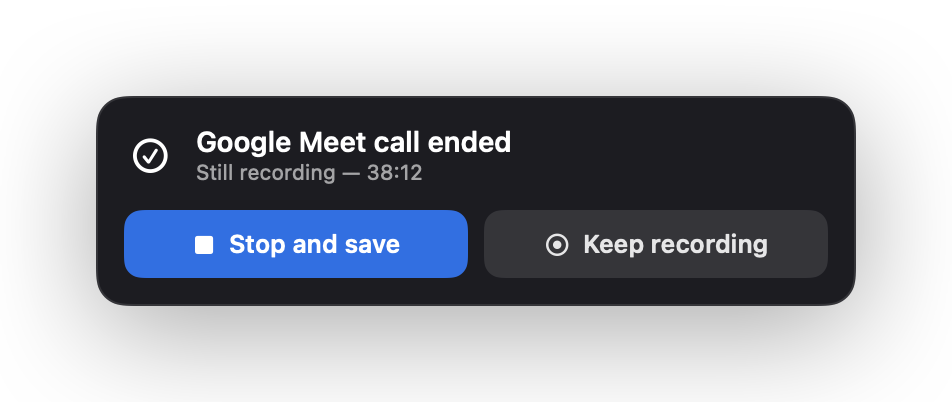
And it knows when to stop.
The call ends and RecordCue asks. Stop and save, or keep going — nothing is left running for an hour after everyone has hung up, and nothing stops without being told to.
Then automate everything after the call.
A finished recording is plain files — the media, a labeled transcript — plus a small read-only command that prints what RecordCue knows about it as JSON: where the files are, which call it was, how long it ran, and which side was speaking. Anything that can run a shell can pick it up the minute the call ends.
So a summary can land in Slack with no bot in the meeting, action items can appear in Reminders, a note can be filed in Obsidian or a shared Drive folder, and Claude Code or Codex can answer “what did we decide on Tuesday?” — each one a short script you can read, run by you, on your terms. RecordCue adds no AI service, no account and no upload of its own. See every recipe.
$ '/Applications/RecordCue.app/Contents/MacOS/RecordCue'
    --agent-cli latest --json
{
  "capture":    { "microphone": true, "systemAudio": true, "video": false },
  "durationMs": 3257886,
  "media":      { "path": "…/RecordCue/Google Meet/2026-09-08 18.07-19.01 Google Meet.m4a" },
  "service":    "Google Meet",
  "startedAt":  "2026-09-08T09:07:01Z",
  "transcript": { "path": "…/RecordCue/Google Meet/2026-09-08 18.07-19.01 Google Meet.txt" }
}Run anything when a recording finishes
A tested hook, installed with launchd. Every other recipe starts here.
Read the recipe →ShareA Slack summary, with no bot in the call
Decisions and action items in a channel minutes after you hang up.
Read the recipe →NotesEvery call becomes a note in Obsidian
Front matter, summary, full transcript. Local files into a local vault.
Read the recipe →AgentAsk Claude Code or Codex about a meeting
Install the Agent Skill once; then a question is just a question.
Read the recipe →One price, once.
Only the length of a recording is sold. Detection, the cue, every capture mode, transcription and filing are in the free version and stay there. Your first fourteen days have no recording-length limit.
Free
Unlimited for 14 days, then ten minutes per recording.
- Call detection and the cue
- Microphone, system audio, or both
- Screen, window and area recording
- On-device transcription
- Naming and filing by service
- The agent CLI and recording metadata
RecordCue Pro
Bought once, inside the app. No renewal, no account.
- Everything in the free version
- Recordings of any length
- Works on every Mac signed in to your Apple Account
- Restores after a reinstall
Questions people ask first.
- Does it record automatically?
- No, and it cannot. Detection only puts a cue on screen. Every recording begins with a press, and if you ignore the cue nothing is written.
- What is free?
- Everything, with one limit. The first fourteen days have no limit at all; after that each recording stops at ten minutes and is saved intact. One purchase removes the limit and changes nothing else.
- Does anything leave my Mac?
- No. There is no account and no server, and no analytics, telemetry or crash reporting. Transcription runs on the device.
- Why does an audio call need Screen Recording permission?
- Because macOS exposes the sound another app is playing through no other interface. Nothing on your screen is captured unless you ask for it, and recording your own microphone alone works without it.
- Is it legal to record a call?
- It depends where everyone in it is. In many places you must tell the other people, and in some you need their agreement. RecordCue cannot know this and does not decide it for you. Ask first.
The rest of the FAQ — or the how-tos: recording Zoom, Google Meet, Teams, Slack huddles, WhatsApp and FaceTime calls — and never forgetting again.
Nothing leaves your Mac.
There is no account and no server. RecordCue makes no network requests of its own — the only connection involved is the one the App Store makes to sell it. Speech recognition is forced to run on the device. Recordings, transcripts and settings never go anywhere.
Read the privacy policy — it is short, because there is not much to say.